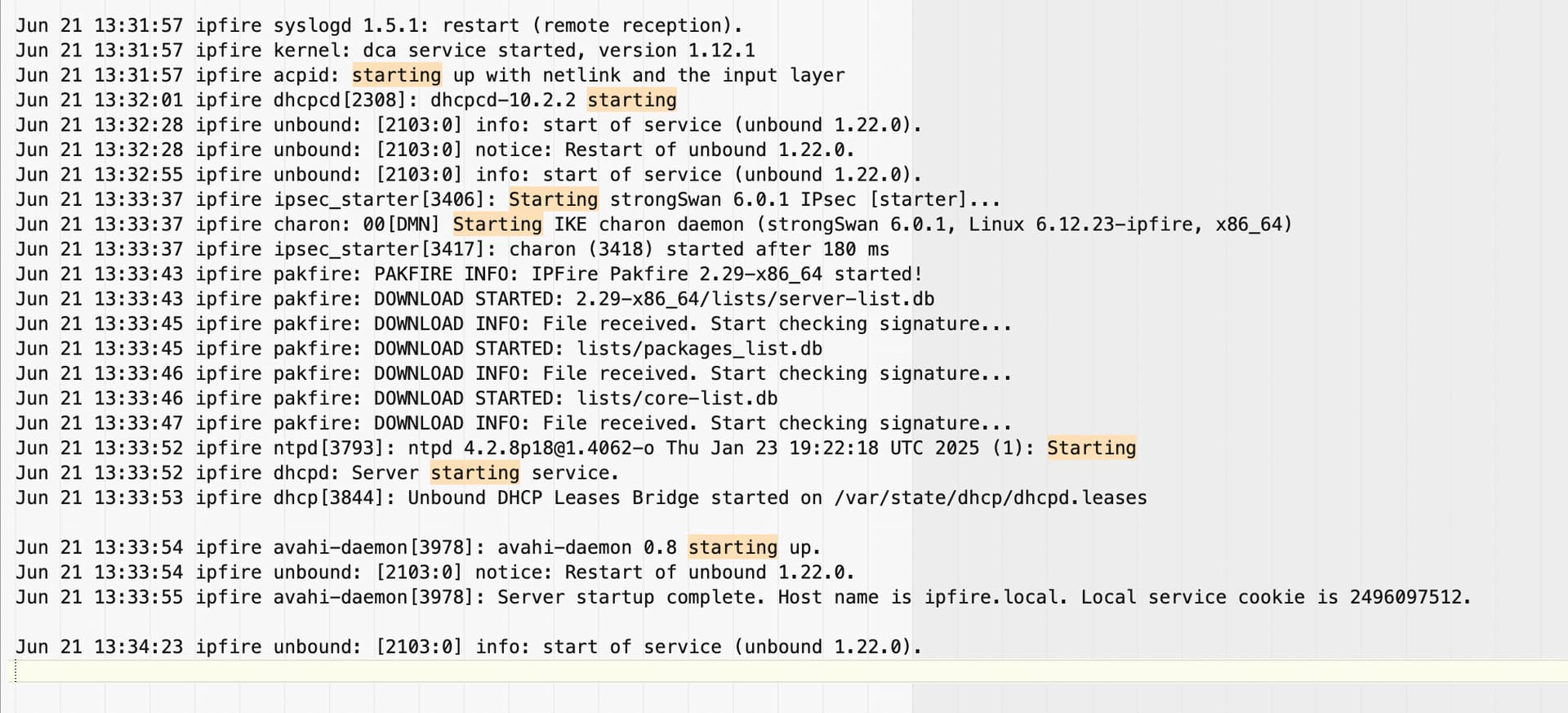
For several months, I’ve been having problems with a client’s IPFire: After several weeks of operation, IPFire no longer responds to the network.
From the RED or GREEN network, it’s no longer possible to communicate with IPFire, and the only way I’ve found is to reboot IPFire. Unfortunately, this firewall is remote, a DHCP server for 20 machines, and an Internet access gateway.
When IPFire crashes, as you can imagine, it’s very disruptive for users.
My setup:
Mini PC with two Ethernet network cards, Intel Celeron processor, 1 x SSD, 2 GB of RAM, powered by a UPS, IPFire CU195 stable.
Note: I can perform tests remotely, from the GUI or via SSH.
Not knowing where to look, do you have any ideas on where to find the source of the problem?
Have you been onsite when it is locked up? Can you still access it via console directly? That might yield some clues. Have you looked through the logs for any hints? Do the Hardware Graphs show increasing temps prior to crash? Is the device in a well-ventilated area? Maybe try increasing ventilation. If anything, point a desk fan at it temporarily to see if it stops the crashes.
In my humble opinion, it looks like it could be several factors. One, as they say, is the temperature. Another is the power supply. And third, I’d opt for the SSD, NVME, SMATA, or wherever the IPFire is installed. Over time, they eventually degrade. I personally had similar problems a while back, and they were for two reasons: first, a problem with the PCEngines firmware, and at one time, some low-quality Chinese MSATA drives.
If it’s so problematic and remote, I wouldn’t bother myself. Replace the machine with a trusted one, and analyze the one you retire over time to learn from these problems.
Hello @ms the 850W UPS powers the entire computer rack (including the firewall, a router, server, several Ethernet switches) and it was serviced 2 months ago.
Regarding overheating, I haven’t noticed anything in the IPFire graphs and when I touch the PC it is barely warm…
The last crashes happened in the evening or at night (perhaps it was a coincidence), and I wasn’t on site at the time.
I connected a monitor to the firewall, and no error messages were displayed in the console (only the usual startup messages), but I’m also going to connect a keyboard to check if I can still interact after a crash.
Regarding the logs, I don’t actually know where to look, and I imagine there must be things recorded before the crash—good idea !
I’ve enabled the “Update Accelerator” feature in IPFire, there are about 20 PCs on the network, and most of them are running Windows 10 and have Office 365 installed… Is Windows Update putting too much use on IPFire ?
Otherwise, I replaced the firewall last year because the old one was causing reboot issues (IPFire backup, installation, restoration).
However, the new firewall isn’t new (it’s a second-life machine, etc.), so…
In case IPFire has a kernel panic, it will automatically reboot after 10 seconds. So a freeze will definitely be a hardware problem, but of course it could be almost anything.
I’m going to examine the log files and I’m already seeing :
numerous DROP_INPUTs coming from a single IP address,
several BLKLST_DSHIELD, BLKLST_BLOCKLIST_DE, DROP_HOSTILE, DROP_CTINVALID
as well as messages like:
ipblocklist: Skipping BLOCKLIST_DE blocklist - Too frequent update attempts!
ipblocklist: Skipping DSHIELD blocklist - Too frequent update attempts!
ipblocklist: Skipping EMERGING_COMPROMISED blocklist - It has not been modified!
The first two are just saying that the rate time interval to allow the next update attempt has not been passed yet. No attempt to download was even carried out.
The third one is saying that the blocklist was checked and found not to have been changed since the version already on IPFire so no download was attempted.
None of these above messages has any linkage to an IPFire crash or freeze.
I had similar problem with a new hardware locking up after a few days and not responding via USB keyboard.
I added the kernel parameter pcie_aspm=off to the kernel parameters in /boot/grub/grub.cfg and eliminated those lockups. Even if ASPM is not the cause of your issue, the parameter should not cause problems because IPF never gets to go to inactive state.
 Have you checked the parameters of S.M.A.R.T. ?
 !
!